AWS-Logo_White-Color
1.
Introduction
1.1.
Data Description
2.
Prerequiste
2.1
AWS CLI
2.1.1
Install AWS CLI
2.1.2
Configure AWS CLI
2.2
Visual Studio Code
2.2.1
Setup Visual Studio Code + tools kit
2.2.2
Configure Visual Studio Code
3.
Create NanoID for project
4.
AWS S3 Bucket Deployment stack
4.1
Create AWS S3 Bucket Deployment stack
4.2
Create emr_pipeline folder
5.
Security Stack
6.
AWS Elastic Mapreduce
6.1
Hive vs Spark
6.2
Hive Scripts – Create tables
6.3
Hive Scripts – Transform Data
7.
Create EMR Cluster Stack
8.
AWS CDK – Application Entry Point
9
AWS CDK – Deploying Stacks
9.1
Deploy Security Stack
9.2
Get Subnet for EMR Cluster
9.3
Deploy EMR Cluster Stack
9.4
Checking the deployment result
10.
How to access EMR Cluster
10.1
Whitelist IP to access EMR
10.2
Whitelist IP to access HIVE
11.
Download PUTTY for SSH to connect to EMR Cluster
12.
Download ODBC for connecting to PowerBI
12.1
Add ODBC Driver
13.
Connect PowerBI to datasource
13.1
Connect PowerBI to datasource
13.2
Visualization with PowerBI
14.
Clean up resources
More
AWS Study Group
English
Tiếng Việt
Clear History
Workshop
Cloud Journey
Last Updated
06-08-2025
Team
Gia Hưng
Nguyễn Yên Khang
ETL Pipeline on AWS EMR
>
AWS CDK – Deploying Stacks
> Checking the deployment result
Checking the deployment result
CloudFormation
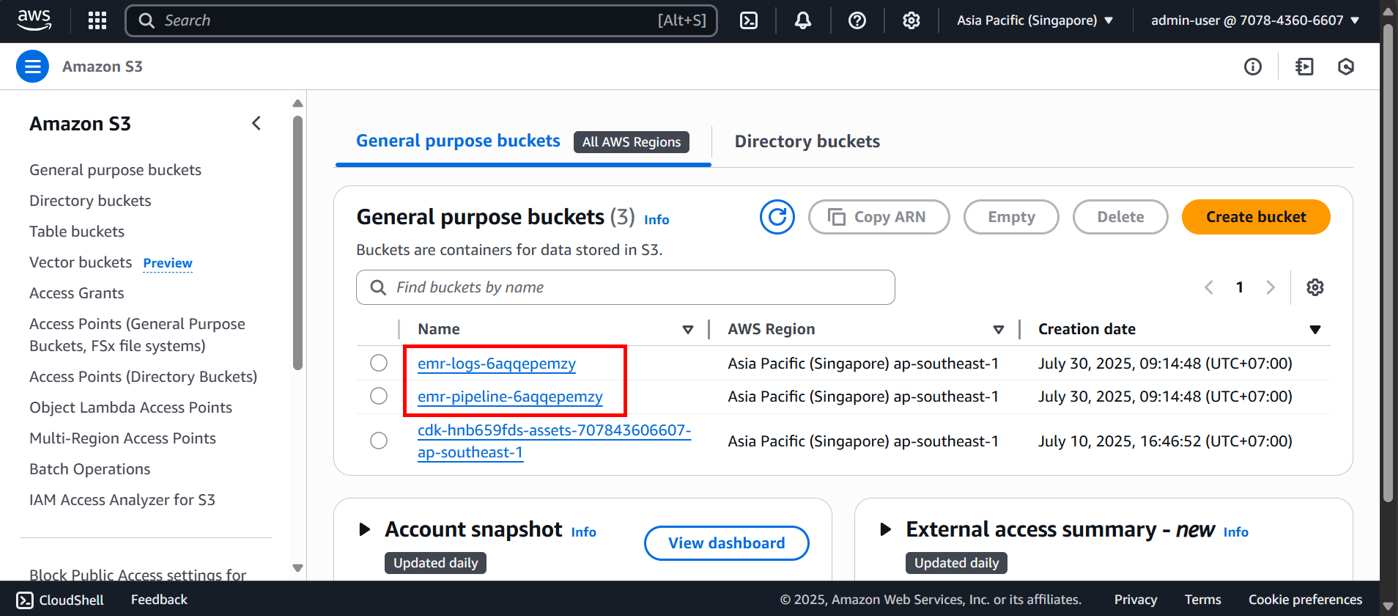
S3
VPC
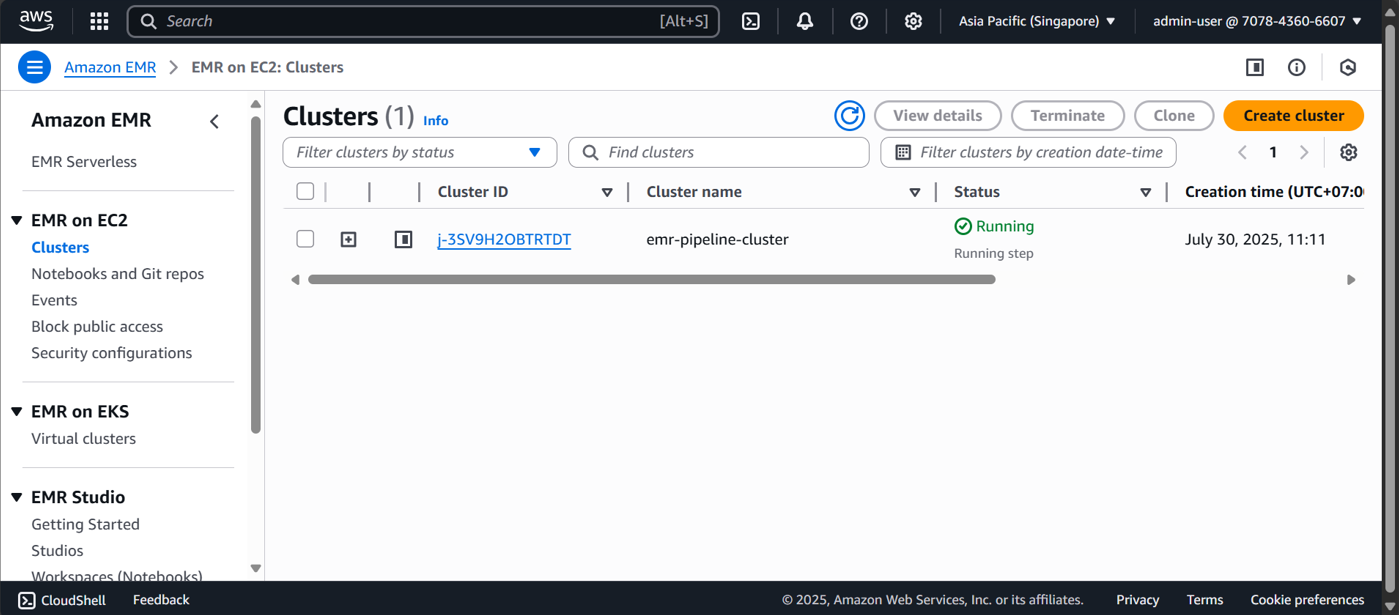
EMR
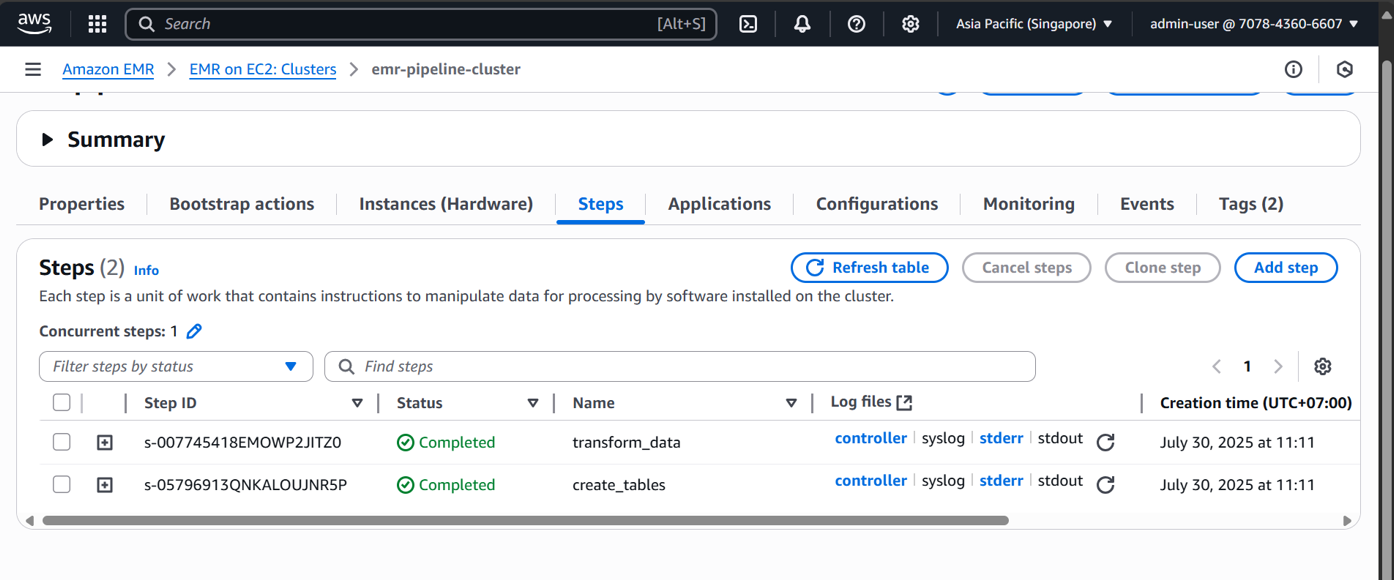
You can see there are 2 steps: transform_data and create_tables